This guide shows how to file nil returns screen by screen on itax. If you earned a salary, file the employment return instead.
How to File Nil Returns on iTax: Step by Step
Before you start, gather your KRA PIN or ID number, your iTax password and access to the email and phone linked to your account. Filing costs nothing, so never pay an agent for a nil return.
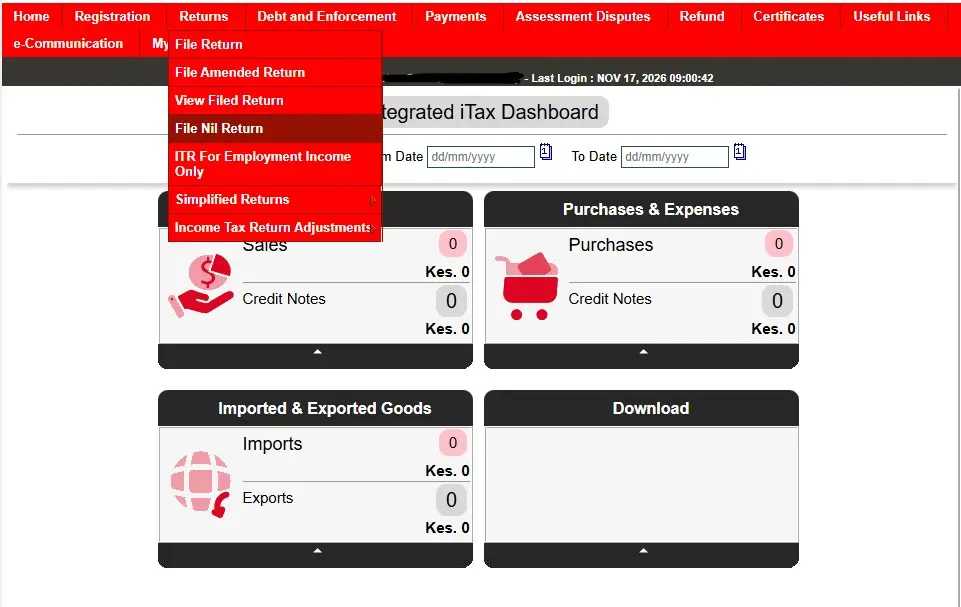
Step 1: Log in to iTax
Go to itax.kra.go.ke. Keep PIN selected or choose ID, enter your PIN or ID number and your password, answer the small sum beside Security Stamp and click Login. If you forgot your password, click Forgot Password/Unlock Account under the Login button.
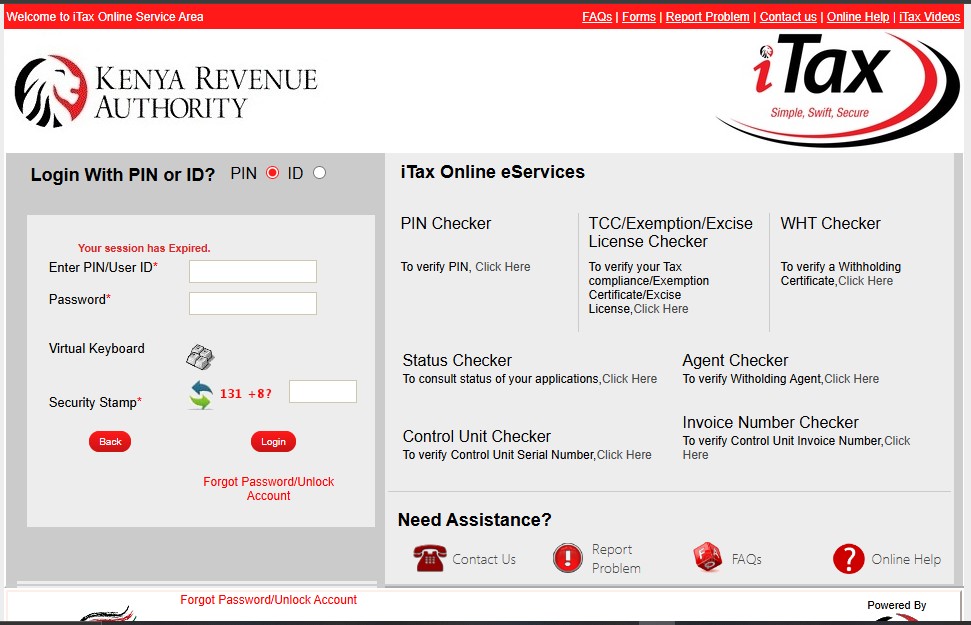
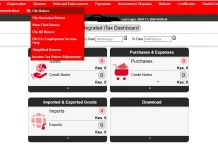
After you log in, iTax opens the Integrated iTax Dashboard. Ignore the sales and purchases boxes and use the red menu bar at the top.
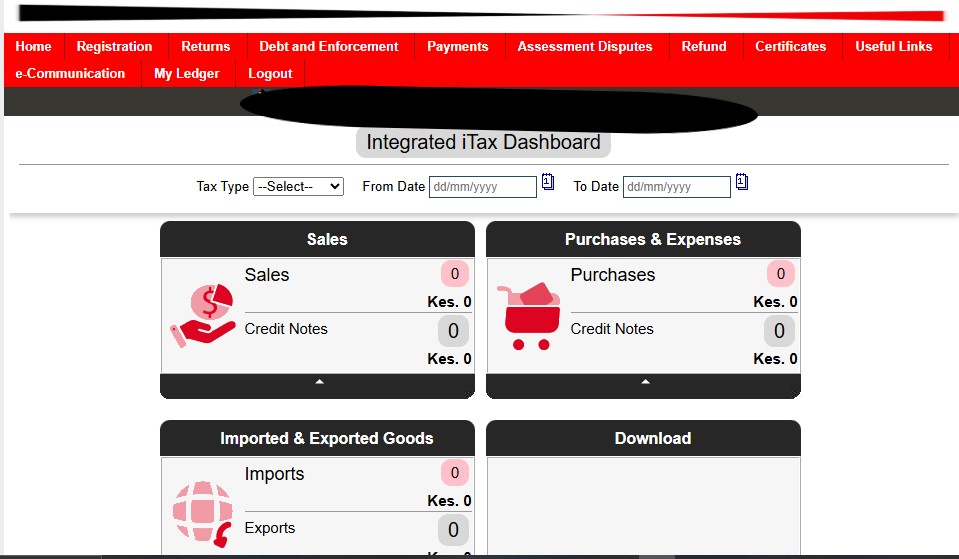
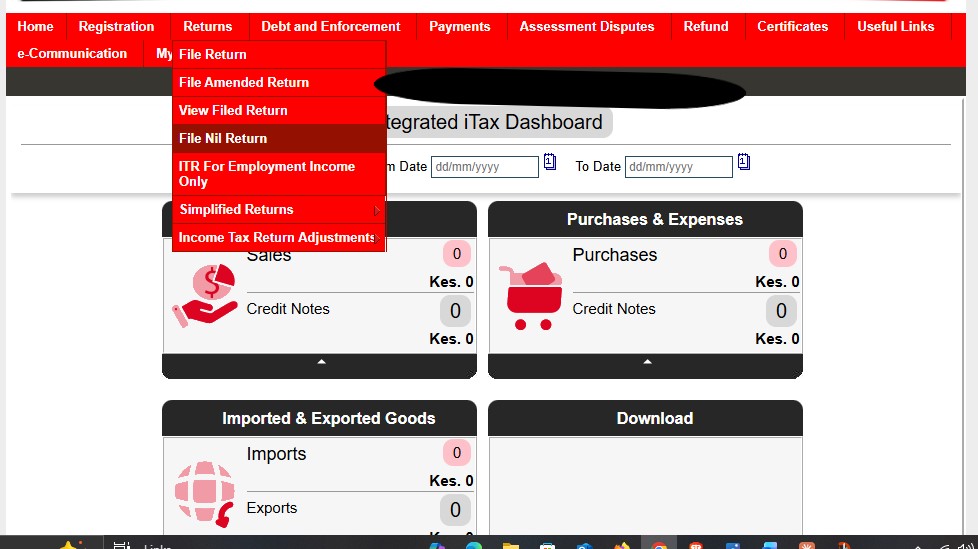
Step 3: Click File Nil Return.
Click Returns. The menu lists File Return, File Amended Return, View Filed Return, File Nil Return, ITR For Employment Income Only, Simplified Returns and Income Tax Return Adjustments. Click File Nil Return. Salaried readers should use ITR For Employment Income Only instead.
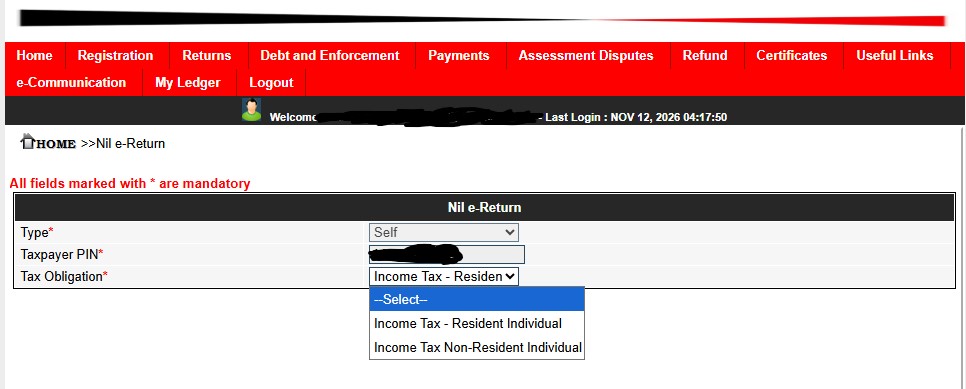
Step 4: Choose your tax obligation.
On the Nil e-Return page, Type shows Self and your PIN fills in on its own. Open the Tax Obligation list and pick Income Tax – Resident Individual if you live in Kenya. Pick Income Tax Non-Resident Individual only if you meet the non-resident test below. Then click Next.
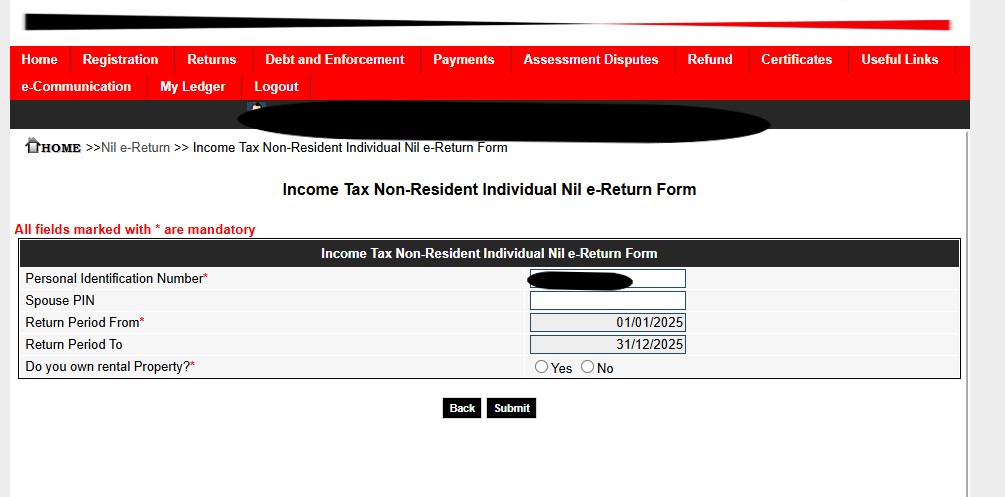
Step 5: Check the form and answer the rental property question.
iTax fills in your PIN and the return period, if you’ve been filling consistently. If the return period has not been filled you can do it manually. The Spouse PIN field is not mandatory. Answer Do you own rental property? with Yes or No, then click Submit. If you answer Yes, check whether you earned rental income, because a nil return declares no income at all.
Step 6: Read the receipt page.
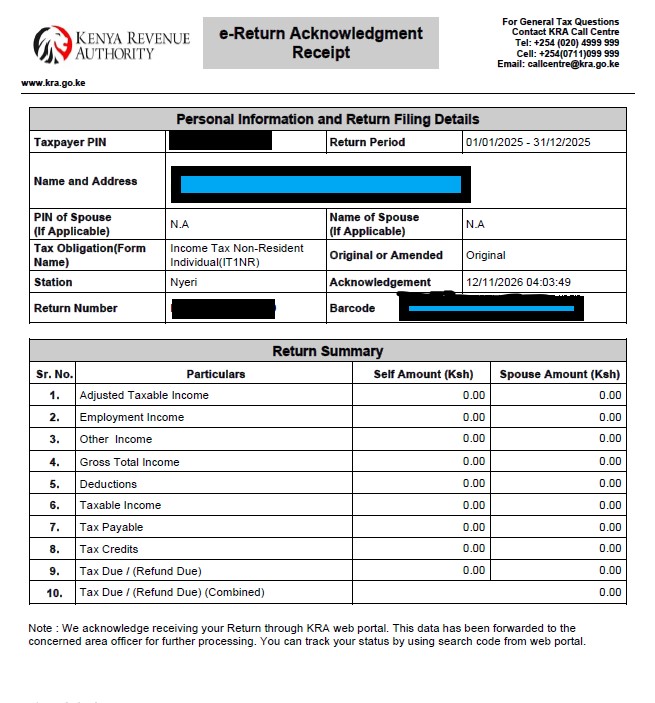
iTax shows Return Receipt Generated and “Return Submitted successfully” with an acknowledgement number.
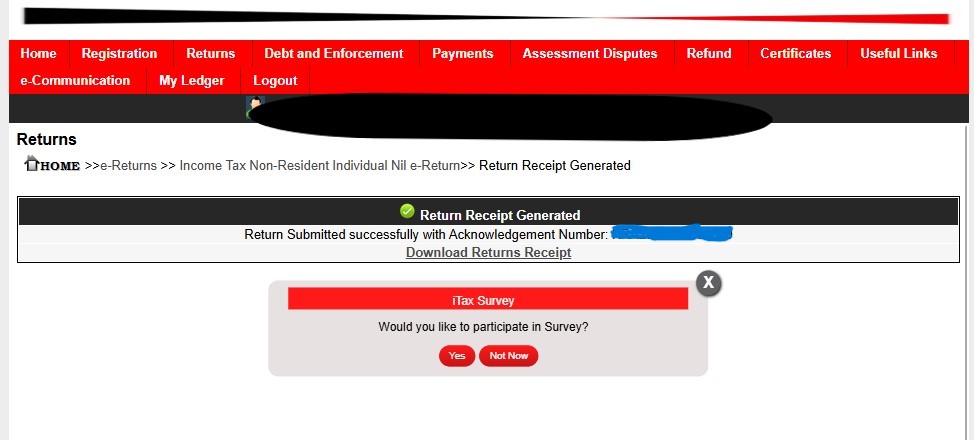
Step 7: Download and keep your receipt.
Click Download Returns Receipt and save the file.
Which Tax Obligation Should You Choose?
Citizenship does not decide this. Tax residency does. Under section 2 of the Income Tax Act, you are a Kenyan tax resident for a year if any one of these applies:
- You have a permanent home in Kenya and you were in Kenya at any time during the year.
- You have no permanent home in Kenya but you spent 183 days or more in Kenya during the year.
- You were in Kenya during the year and averaged more than 122 days a year across that year and the two before it.
If none of these applies, you are a non-resident.
| Your situation | Choose |
| You live in Kenya | Income Tax – Resident Individual |
| You are a foreigner who spent 183 days or more in Kenya this year | Income Tax – Resident Individual |
| You are a Kenyan who keeps a permanent home in Kenya and visited at any point this year | Income Tax – Resident Individual |
| You are a Kenyan living abroad with no permanent home in Kenya and under the day limits | Income Tax Non-Resident Individual |
Picking Resident or Non-Resident, the process remains the same for filling Nil Returns.
Who Should File Nil Returns (and Who Should Not)
Before you learn how to file nil returns, check that you qualify. File a nil return if you have a KRA PIN and earned no income during the year. Students, people between jobs and people who are not working all fall in this group.
Do not file a nil return if you earned income. A salary means you file ITR For Employment Income Only, which sits in the same Returns menu. Business and rental income need their own returns. A nil return says you had no income at all, so filing one while you earned money is a false declaration.
How to File Nil Returns: FAQs
Can I file nil returns if I am employed?
No. If you earned a salary, file the employment return. Click Returns, then ITR For Employment Income Only.
Should I choose Resident or Non-Resident?
Choose by residency, not citizenship. If you live in Kenya, choose Income Tax – Resident Individual. A Kenyan abroad with no permanent home in Kenya is usually a non-resident.
What is the penalty for filing late?
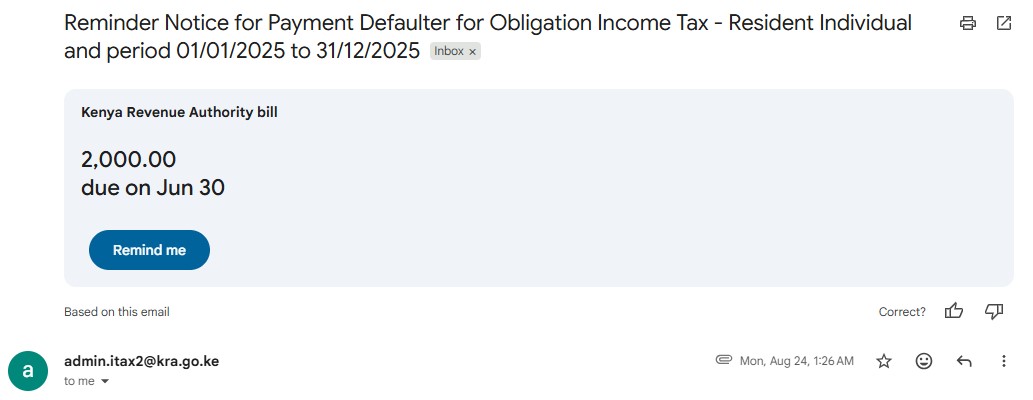
The higher of 5% of the tax due or KSh 2,000. For a nil return, that is KSh 2,000.
How do I get my nil return receipt?
Click Download Returns Receipt on the confirmation page. KRA also emails an acknowledgement from admin.itax2@kra.go.ke.
Can I file nil returns on my phone?
Yes, set your browser to desktop site and follow the above procedure.