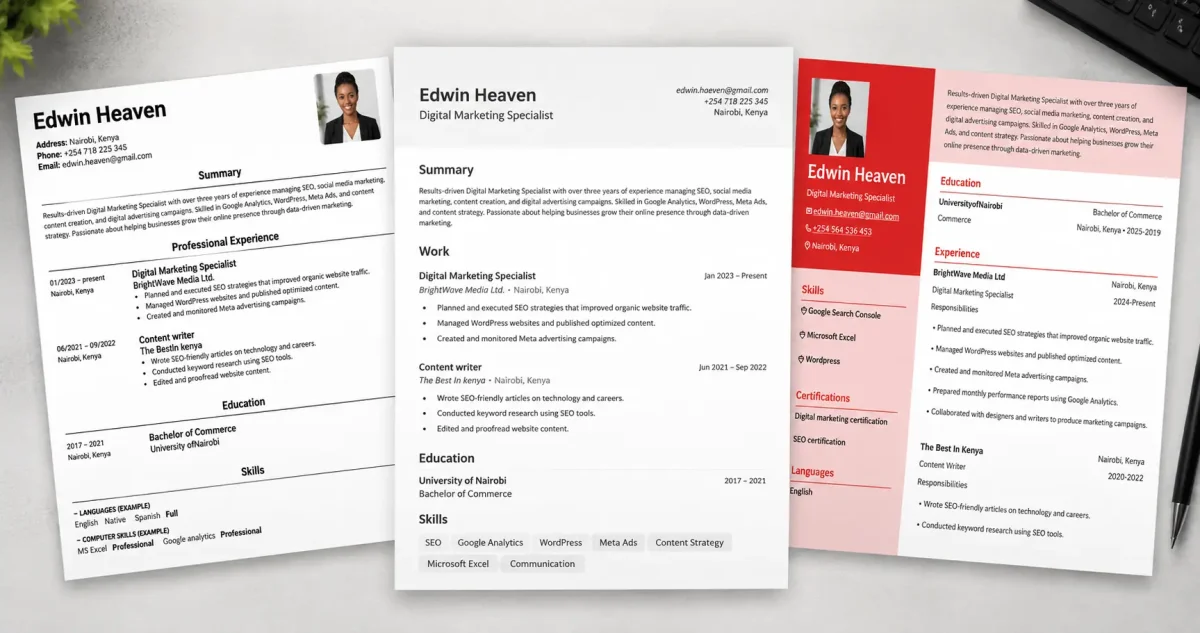
Many resume builders advertise themselves as free, then reveal a payment screen when it is time to download your CV. This best free resume builders guide helps you avoid that problem.
We tested 10 resume builders using the same sample CV. For each one, we checked whether the free plan allowed a PDF download, if the exported file had a watermark, whether an account or card was required, and what limits applied to free users.
All the tools below allowed us to download a PDF without paying or adding a watermark during our test.
| Resume Builder | Ideal For | Free pdf download | Watermark in our test | What you get on Free plan |
| Resume.com | Quick, professional resumes | Yes | No | Multiple resumes and free downloads |
| Reactive Resume | Privacy-conscious users & developers | Yes | No | Free, open-source builder
|
| Teal | Managing multiple job applications | Yes | No | Multiple resumes; limited free AI help
|
| OpenResume | Simple, ATS-friendly resumes | Yes | No | Free, browser-based builder |
| Jobscan Resume Builder | ATS optimization | Yes | No | Free builder and downloads; advanced tools cost extra |
| FlowCV | Modern resume designs | Yes | No | One resume and one cover letter |
| Canva | Creative and visual resumes | Yes | No | Many free templates; some templates and elements are Pro-only
|
| Europass | Jobs and study opportunities in Europe | Yes | No | Free CV builder and career tools |
| DuckResume | Mobile resume creation | Yes | No | Ad-supported free mobile app
|
| Kickresume | Students & polished templates | Yes | No | Four free resume templates; unlimited downloads |
1. Resume.com
Resume.com is our best overall choice for most job seekers who want a professional CV without a subscription, credit card, or download paywall.
The builder has a clean interface, straightforward templates, writing suggestions, and free PDF or text downloads. You can start creating a resume as a guest, which is useful if you do not want to create another online account before seeing how the tool works.
In our test, the exported PDF had no watermark. Resume.com is also a practical choice when you need to create a CV quickly for a job application.
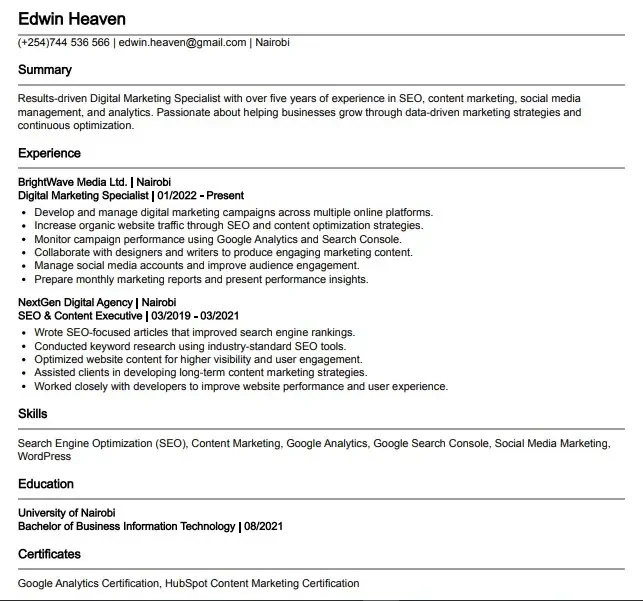
Its main limitation is design flexibility. The templates look professional, but the customization options are more limited than those offered by FlowCV or Canva.
2. Reactive Resume
Reactive Resume is a free, open-source resume builder for people who want more control over their document and data.
It supports multiple resumes, customizable templates, font and colour controls, public sharing options, and watermark-free PDF exports.
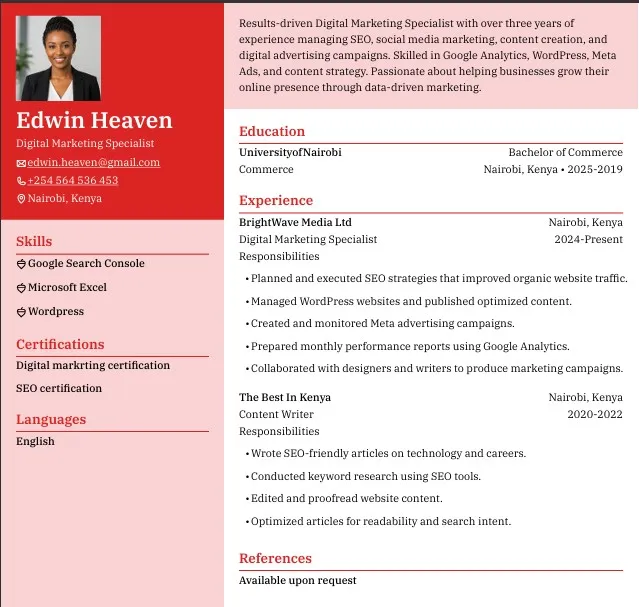
This platform has fewer templates than commercial competitors, and its AI writing help is a straightforward OpenAI integration rather than the more developed assistants some paid platforms offer. Self-hosting is optional, but it does require some technical knowledge. If privacy and unrestricted access matter more to you than extra features, it’s a good fit.
3. Teal
Teal is more than a resume builder. It combines resume creation with job tracking, job-description matching, and application management.
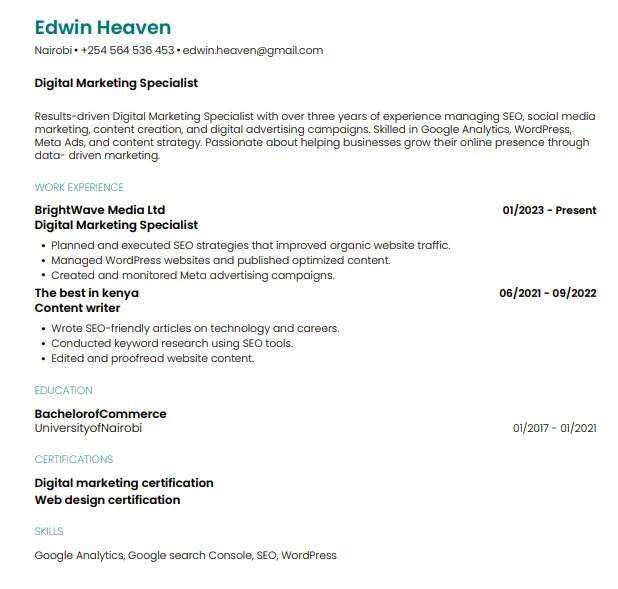
The free plan lets users create and export multiple resumes, import details from an existing CV or LinkedIn profile, and download PDFs. It also includes limited AI assistance and basic resume-analysis features.
Teal is useful when you are applying for several roles and want to tailor different versions of your CV.
For advanced AI analysis, unlimited keyword matching, and premium tools, paid tier is required.
4. OpenResume
OpenResume is a free, open-source tool built around clean, simple resume formatting. It is especially useful for students, early-career professionals, and applicants who want a conventional one-column resume.
You can create a resume from scratch, import an existing PDF, use the built-in parser to check how the document’s text is read, and download the finished result as a PDF. No account was required in our test, and the tool stores resume data locally in your browser.
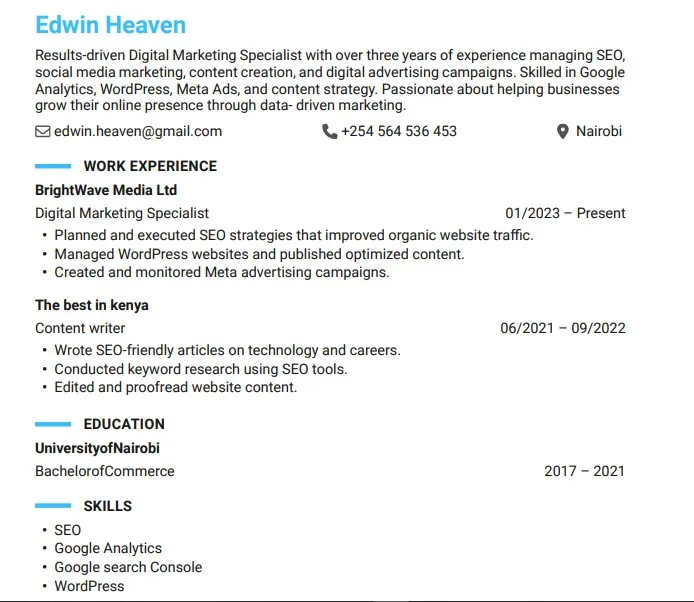
OpenResume offers fewer design choices than Canva or FlowCV. That is a limitation for creative portfolios, but an advantage if you want a clean resume without unnecessary visual elements.
5. Jobscan Resume Builder
Jobscan focuses mainly on ATS compatibility. It’s built for corporate roles, where a resume typically passes through tracking software before a person ever reads it.
Building and downloading resumes is free, with no watermarks or surprise checkout screens. You can import details from an existing resume or LinkedIn profile to speed things up. The free version includes several ATS-optimized templates and basic keyword suggestions. Deeper AI writing tools, resume optimization, and job-match analysis require Jobscan Pro.
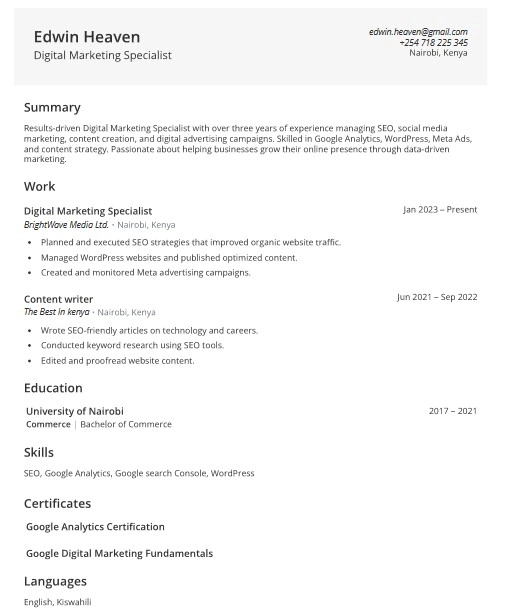
One disadvantage of Jobscan is visual variety. Templates are plain, which won’t appeal to anyone chasing a distinctive design. But for traditional office jobs which clearing the ATS is the real challenge, Jobscan is perfect.
6. FlowCV
FlowCV combines an easy editor with more design flexibility than many fully free resume builders.
The free plan lets you create one resume and one cover letter, with watermark-free PDF downloads. You can adjust layouts, colours, fonts, and sections to create a more polished result without needing design software.
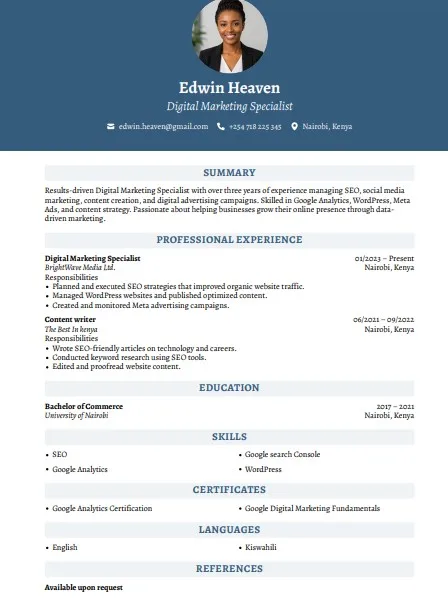
The limitation with FlowCV is you only get a single resume with free tier. If you want multiple versions for different jobs, AI writing tools, or a personal web page for your resume, you must upgrade.
7. Canva
Canva offers the widest design freedom on this list. Its drag-and-drop editor makes it easy to change fonts, colours, layouts, images, and graphics.
You can download a resume as a PDF, PNG, or JPG. Many resume templates are available on Canva’s free plan, although some templates, images, and design elements require Canva Pro.
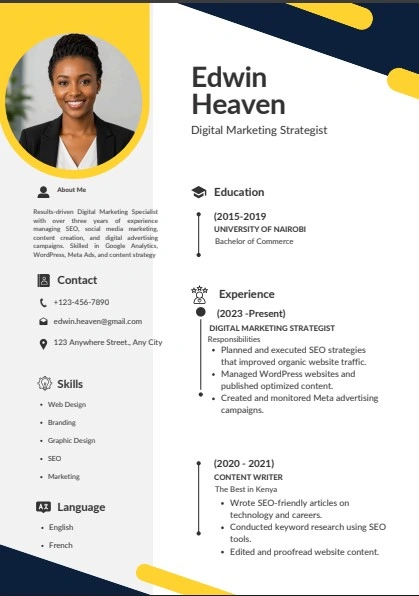
Canva works best when visual presentation is part of the job, such as design, marketing, media, or creative freelance work. For applications submitted through an ATS, choose a simple single-column template, avoid excessive graphics, and make sure the exported PDF contains selectable text.
8. Europass
Europass is the European Commission’s free CV-building platform. It is particularly useful if you are applying for work, study, training, internships, or volunteering opportunities in Europe.
You can create and download a CV, build cover letters, store career information, and work in 31 languages. Europass can also help users organize qualifications, skills, and career documents in one place.
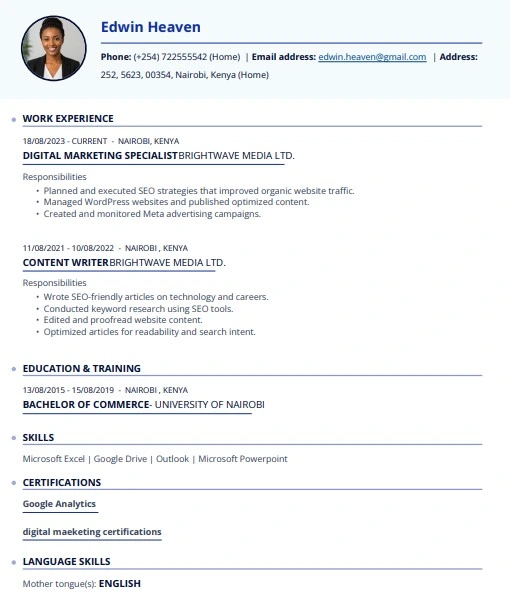
The format prioritizes consistency and clarity over visual freedom. It is a good option for Europe-focused applications, but it will not suit everyone who wants a highly customized or visually distinctive resume.
9. DuckResume
DuckResume is a mobile-first resume builder suited to people who need to create or update a CV from a phone rather than a laptop.
In our Android test, it allowed us to create and download a watermark-free PDF without paying. The app is ad-supported, which is how it provides its free version. It also includes resume templates and mobile editing tools.
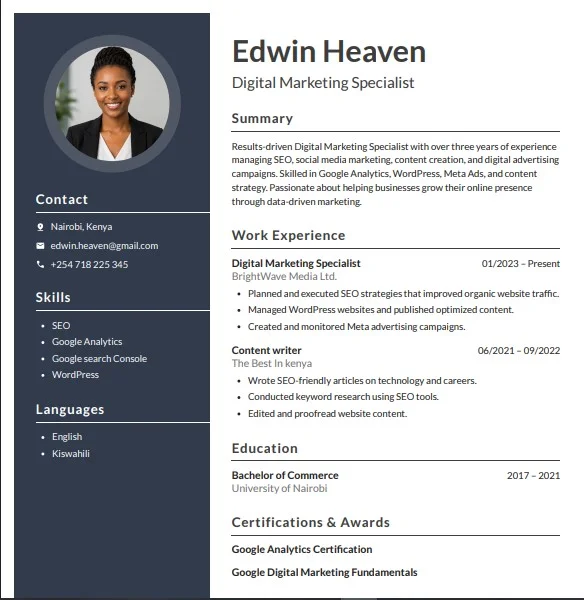
The mobile-first approach is convenient, but detailed editing can be easier on a desktop screen. Features may also vary by device, operating system, and app version, so check the current app listing before relying on a specific feature.
10. Kickresume
Kickresume offers resume, cover-letter tools, and personal website features in one platform.
Its free plan includes four resume templates, matching cover-letter templates, a portfolio template, and unlimited downloads using the available free designs.
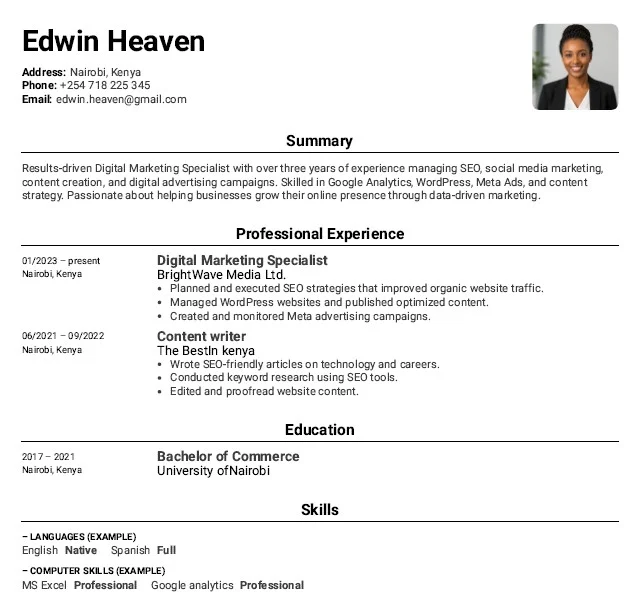
Paid plan is required for AI writing tools, the ATS checker and deeper customization, although free tier is enough to produce a solid resume
Which free resume builder should you choose?
This is our reccomendation;
Resume.com or Kickresume if you want the simplest all-round free option.
OpenResume or Reactive Resume if privacy, clean formatting, and control matter most.
FlowCV if you want a more polished design and only need one resume.
Teal if you are tailoring several CVs and tracking a large number of applications.
Canva if you work in a creative field and can use a clean template appropriate for the application process.
Europass if you are applying for work, study, or training opportunities in Europe.
Duckresume if you are building your resume using a phone.
If you found this guide helpful, you may also like these related resources:
- 10 Best Websites to Learn Digital Skills for Free
- Best AI Tools 2026 For Students, Freelancers, and Professionals
- Best Subreddits for Remote Jobs
- The Best Sites to Get Remote Jobs